Category Archives: Uncategorized

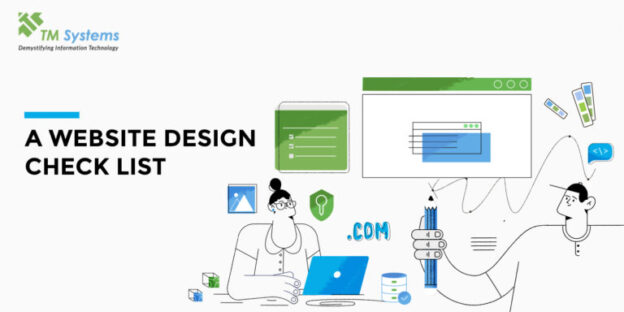
A Website Design Checklist

Websites are one of the crucial building blocks in creating your brand. For it to be a turning point for your venture, your website needs to do several things – like, make a lasting impression, facilitate interaction, build business relations, and generate revenue, among others. Since there are so many expectations from a website, the preparation for it should be systematic and well thought out. Here is a checklist for you to use before you jump into designing a website:

Define a purpose

In order to achieve what you want; it is important to know and define what you want out of this website. Sit down with yourself and your team to define the purpose of the website – is it to establish a presence, or build interaction, or generate revenue, or a combination of those? Once you have your purpose written down – all the other decisions fall in line automatically.

How much are you ready to invest?

Websites are crucial tools and require a good amount of your time, effort, and money. Before you think of getting it designed – you should think about the amount of money you are ready to invest and more than that the time and effort it will also require.

Choose domain

You should decide the domain name for your website as soon as possible. Domain names cannot be duplicated so if you know what yours is going to be, get it immediately.

Choose a reliable host server

Knowing the technology behind your website is important as that is the hidden strength resource which keeps it running. Choosing the right host for where your website will reside is a significant step so consultation of an expert IT team to make these decisions is strategic. Overall, the first two steps will make a huge impact on your decision for this one as your purpose and investment capacity affects it the most. Make security a priority.

Create your brand

In case you don’t already have one, this is the right time to design your service or product as a brand. What this essentially means is to decide on what you want to communicate the most about your work and reiterate that in elements like, brand logo, name, colors, and what you have to say about that.

Know your audience

Any well-established brand knows exactly who their customer is and what they like, which is how they create a brand experience for their valued customers. Your website should also do the same – if your work is with young children for example, your website needs to connect to their parents, whereas, if it is for young adults, it needs to connect to them. If your customers are more likely to post on social media, your website should facilitate an easy way to do that, and so on. Knowing your audience prepares you in the best way possible.

Decide your content

Once you have an idea of what you want to communicate (brand) and who you want to communicate it to (audience), the next step is to decide how many pages or sections your website will have and what will be in each of those in terms of what information to include and where.

Decide on an intuitive flow

A natural intuitive flow of content and graphics on a website is truly a mark of great design as it simply nudges the reader along without any harsh interruptions that could lead to loss of interest.

Colors and font are your first impression tools

The previous few steps will give you an idea of what kind of a color palette and font style will communicate what you want to and make a lasting brand impression.

Keep it simple

While deciding on the few previous steps, it is likely that one overdoes it as there is a lot to say about the passionate work you are doing. However, use this as a thumb rule and revisit those steps – make sure you are not overcomplicating it and that it is simple, easy to use while fulfilling your purpose.

Back to tech: make your website accessible

The last step is to figure out the accessibility of your website – is it mobile-friendly, is it accessible through all kinds of browsers? Many users open websites from their phone and if the website is mobile-friendly it creates an impression that your company is well updated with technology.

Cross-browser functionality of your website is important if you are catering to a wide audience as your website should function well no matter where your user opens it.

Choose your fancy wisely

When it comes to website-designing, the world is our oyster but it is important to know if it suits our diet! If you’re choosing fancy functionalities for your website – for example, plug-ins, chatbots, social media link-ups – only do so after knowing if it falls in line with your service and brand and whether your audience needs it.

As websites are so crucial for building a brand’s image, the whole process of designing it can be overwhelming, especially on your own. TM Systems make this a lot easier by being there every step of the way and advising you according to your needs.
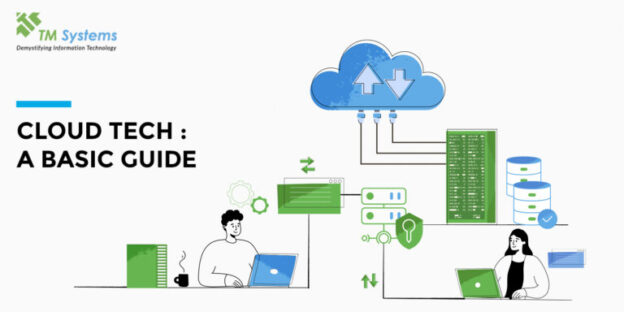
Moving To the Cloud? Here’s Everything You Need To Know.

Business, all over the world, has a new modern pace now – modern business models are scaling up faster, use different kinds of resources, and have an efficient edge to them.

To keep up with this pace of modern business – one of the things that is turning into a priority for existing business companies is cloud transformation. Existing companies of any scale and from all kinds of fields are considering or in the process of moving to the cloud.

However, what does moving to the cloud really mean?

Cloud transformation is a process of moving your business from local servers into cloud servers that exist in data centers around the globe. It involves migrating all the applications, software, and data that your business might be using to exist and run on the cloud instead of computers. The scale and extent of cloud transformations vary according to the end goals you wish to achieve for your business.

Tech experts have long predicted the accelerated rise of cloud transformations and the COVID-19 pandemic has fueled it further. As companies started remote work with most of their employees, cloud servers and cloud computing gained even more popularity.

Why move to the cloud?

Cloud transformations have become a necessary step as one’s business grows. Many companies are opting for cloud-based services to make their business operations more efficient and slowly phase out of IT infrastructure. Cloud-based services are a great alternative as they offer more efficient delivery systems, interaction with customers or other businesses and day-to-day operations.

Here are some of the benefits of moving your business to the cloud:

1. Data-storage and sharing

One of the biggest changes when your business will undergo a cloud transformation would be the way you store data and share it with your customers and other businesses. However, at the same time data security is also one of the biggest worries associated with it.

2. Flexibility and scalability within your organization

Flexibility in scaling your business is another major benefit of switching to cloud computing – it allows you to scale up or down depending on your circumstances and start projects or lessen your workload without worrying about your IT infrastructure.

3. Central network security

While data security is a reasonable worry when it comes to cloud computing, having a central network security system means it is easier to track any issues and also control the same.

4. Accelerated market access

Cloud computing ensures that the access your business has to the market is accelerated hence giving you the option to seize that opportunity if you want.

5. Overall efficiency of day-to-day operations

Research has shown that companies that have moved to the cloud have seen an increase in productivity compared to the ones that still use local servers.

6. Cost-effectiveness

Cloud transformation is shows to reduce IT infrastructure costs by almost 25% – as it directly results in your business requiring less technological gadgets, less staff to manage that technology and less repair or data recovery costs.

These are only some of the benefits of moving to the cloud. This is not to say that there are no challenges on your way to it – however, at the end of the day it saves you money and increases the efficiency of your business. Head on over to our website to know more about how and why you should make the move!

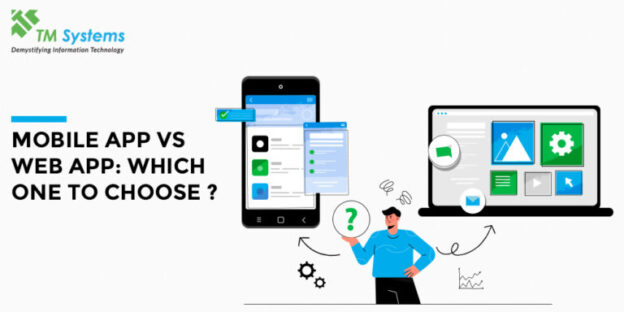
Mobile vs Web App: Which One is Right for Your Business

Every growing business that is in the process of developing its online presence is highly invested in digitalizing their business as well. A few of the steps of digitalizing involves making certain systems and operations digital and there are two main ways to do that.

The first is a web application, a software program one that functions from a web server. They can be accessed by the user from a browser with an active internet connection. Web apps range from simple browser applications like presentation tools, mail software, word processors, etc to more complex systems like project management software that helps business teams manage day-to-day operations, online forms, video-editing, etc.

The second is a mobile application, a software application made to be accessed from a mobile device like a phone, tablet, or a smartwatch. Mobile apps have developed from being basic assistance to productivity such as calendars, mails, etc to mobile games, retail apps, GPS, booking tickets and much more.

In order to know which is right for your business, it is important to understand the many differences between the two:

  1. Web apps are accessed from a browser and adapt to any device you open them on, whereas mobile apps are made for specific platforms, the most common being the Apple OS or Android for a device.
  2. Web apps do not need to be downloaded and installed as they open on the browser, whereas mobile apps need to be and then they get access to your device’s resources, like the GPS, camera, file storage, etc.
  3. Web apps always need an internet connection as it is accessed from a browser, whereas mobile apps can work offline with limited functionality.
  4. Web apps update themselves, whereas, mobile apps need to be updated by the user from the app store.
  5. In today’s digital world, smartphones are used by almost everyone and hence the accessibility to a mobile app is much greater than web apps.

Now that you know the difference between the two kinds of apps, you can determine what is better for your use. One of the first steps to doing that is defining who your target audience is and what is its agenda as that plays a crucial role in determining your choice between web and mobile as that is what will define its functionality, purpose, and the complexity needed. Purpose and target audience go hand in hand. For example, for universities like CEPT, IIM-A, NIFT Ahmedabad, NID Ahmedabad, all our clients – a web app was a better fit as they needed a better system software for internal use like an attendance / grading portal or a backend for the libraries. A client like Sandesh required a mobile app only as the purpose was for them to reach customers. There are cases where a company might need both for different purposes and audiences. For example, DHL, one of our clients, the idea was to digitalize the existing systems for the customers and the employees – so for internal employee use a web app was a better fit for them and for customers, a mobile app was better as it was more accessible, gave access to GPS to track location, etc.

Hence, in the choice between mobile app and web app, your decision should be based on who the app is for, what purpose it is serving, and what would be its main functionality.

Still confused? We can help you out, Contact us.

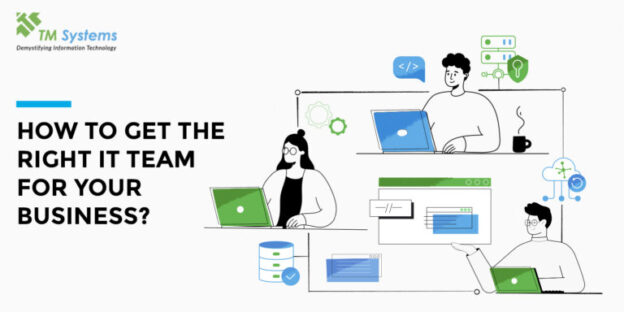
Why You Need an IT Team As a Startups and How to Get the Right One

As the tech industry grows, it has become a significant part of other industries including their processes and systems. No industry exists without using technology in some capacity. Most companies now need a team who can set up IT systems, maintain them, and update them upon requirement.

‘Information Technology’ (IT) services ensure your workflow and systems operate with optimum efficiency as well as productivity. Here are few of the many advantages to consulting an IT team:

  1. Increased efficiency with a great ‘Return on investment’ with system maintenance and solving everyday bugs.
  2. Ensuring data security with regular backup of both and cybersecurity, if needed.
  3. Client servicing – better technology also means a smoother customer experience communication.
  4. Be up-to-date with new technologies without doing all the research yourself.
  5. Customized software – the process, target, and work of each company is different and many times, existing software doesn’t fulfill them. An IT team considers your goals to create a customized solution.

Now that we have understood the significance of having an IT team, let’s figure out how to pick the right one. Many factors come into play – some require introspection of your goals and needs and some require you to ask the right questions. Here are a few that you should be considering while making this important decision:

1. Recognize your needs

The first step before you look for IT teams to associate with, is to figure out what your company’s short and long term goals are. On doing this, you will get an idea of what you need to get there and what the missing puzzles are, some of which can be filled in by tech solutions and that is what you need to keep in mind, going further.

2. Gather referrals

Asking fellow colleagues and companies in the field which IT teams or companies they are working with will get you honest insights into how a certain IT company might be working and contributing in your field.

3. Choose between local vs foreign companies

Partnering with a local IT company versus an offshore IT company is a decision that will define your way forward. One of the biggest factors that will determine this is your budget for IT solutions and whether you need in-person support or not.

4. Find out that they specialize in

IT companies come in diverse types – knowing what they specialize in and whether that aligns with your goals and needs help you pick a perfect match!

5. Experience in the field

Depending on the size of your company and other factors, – you can determine whether the IT team you hire needs to have a lot of experience beforehand or not. In any case, an IT team that has more experience will mean they know how to overcome unforeseen challenges and be more adept at aligning themselves with customized solutions. If your field is specific to something – find out if they have experience in that particular one.

6. Choose which kind of support you need

IT teams generally work in either a break-fix way, a retainer support, or a desktop or server support and as per your needs you would have to choose which one works best for you, with the budget you have.

As we see, there are many factors to consider when choosing the right IT team, hopefully this list helps you keep some of the most crucial in mind while choosing your perfect match! TMSPL strives to meet each of these criteria and ensures high-quality efficiency for your company and its customers. Check out our work and clientele here.

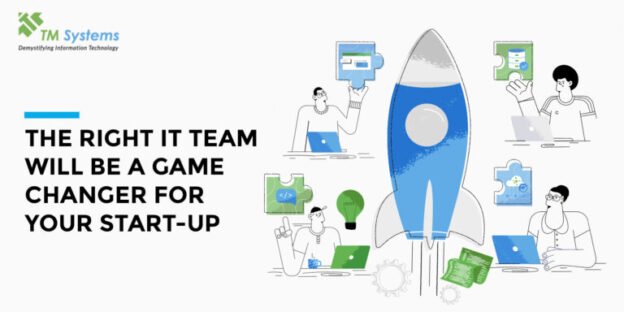
The Right IT Team Will Be a Game Changer for Your Start-Up

startups have gained a lot of momentum in the last two decades and understandably so. They are the hub of collaborative efforts leading to innovation and development. The kind of culture it has created is also more open-minded, welcoming of newcomers, and all kinds of ideas. This is also one of the main reasons why more and more of the general masses feel like they can step into this world. It has made people more open and ready to put their ideas out there – ultimately increasing the number of startups we have coming up.

The younger generation is taking a lot of inspiration and are eager to step into the world of startups, despite knowing the rate of failure. All of this is based on sheer determination, belief in oneself and a positive approach and while it is important – it is also crucial to know what you can do to be a success.

One of the main factors for startups that are successful and the ones that do not quite make it is its execution of their idea. This is quite a broad concept but however innovative and unique an idea might be – ultimately, its execution is what matters.

The question then, would be, how to execute in the best way possible?

Since most startups in any industry use technology as part of their process or their service to a customer – the answer to this question is found in the perfect match of an IT Team.

The right IT team will not only get your start-up up and running, but it will also do these:

1. Strategize and pair your service/product with the right technology

The most significant role an IT team plays within a start-up is their ability to understand your idea / product / service and design a whole execution process for it. This is quite unique to your idea and hence the IT team you select needs to be one that will go in-depth and understand what your idea needs to flourish.

2. Custom services

Having an IT team will ensure that your product/service has custom software and other solutions for your company’s needs – not just for the end user but also for your internal workflow.

3. Security and Efficiency

Many startups fail because of minor everyday errors like losing out on data, not securing it well enough. Some fail because their day-to-day efficiency is interrupted, and the execution of the idea suffers. Both would be taken care of by an IT team.

If your service or product doesn’t get its perfect match in the execution process – your start-up will run into issues later on. An IT team gives you a chance at strategizing the execution with the right tools and then also taking care of the execution step-by-step. TMSPL’s IT services are well renowned for their executive success and could be just what you need to make your start-up a success!

Accessibility Toolbar

We use cookies to give you the best online experience. By agreeing you accept the use of cookies in accordance with our cookie policy.

Close Popup
Privacy Settings saved!
Privacy Settings

When you visit any website, it may store or retrieve information on your browser, mostly in the form of cookies. Control your personal Cookie Services here.


Necessary
  • __cf_bm
  • _cfuvid
  • __cf_bm
  • _cfuvid
  • __hssrc
  • __hssc
  • _GRECAPTCHA
  • rc::a
  • rc::f
  • wpEmojiSettingsSupports
  • rc::c
  • rc::b

Save
Accept all Services
Open Privacy settings